Mobile-first AI Agent for Frontline workforce
Designing an AI agent for frontline workers - people on the go, on small low-cost phones, in loud places, with no time to type.

Product: Frontline Agent for Microsoft Frontline offering
Status: Public preview, early 2026
My role: Lead designer
Worked with: Engineering, PM, Research, Data Science
Who it’s for
Most AI tools are built for people sitting at a desk. Frontline workers are the opposite. They’re on a store floor, in a warehouse, in a hospital hallway. They start a shift, hand it off at the end, and in between they rarely sit down.
Frontline Agent is an AI agent built for them. It lives in Microsoft 365 Copilot and in the Teams chat list, right next to their coworkers.
I was tasked to design Frontline Agent as the personal assistant for Frontline workers, as well as the AI solution helping coordinate work in frontline-specific teams.
Building understanding and context
As a member of the frontline squad at Microsoft, I had the opportunity to visit and talk to customers who were testing our offering. I watched how a shift actually starts, what people do in the first few minutes, how the work splits between frontline managers and frontline workers, and what happens at handoff when one shift leaves and the next one walks in.
A few takeaways I had:
-
The devices. A lot of frontline workers use Zebra devices - rugged, low-cost Android phones with small screens and physical keyboards. Typing a long question on one of those is slow and painful.
I took that as a signal to (1) cut the length of responses through system prompt (which made it hard because of Microsoft’s trust requirements), and to (2) champion voice modality.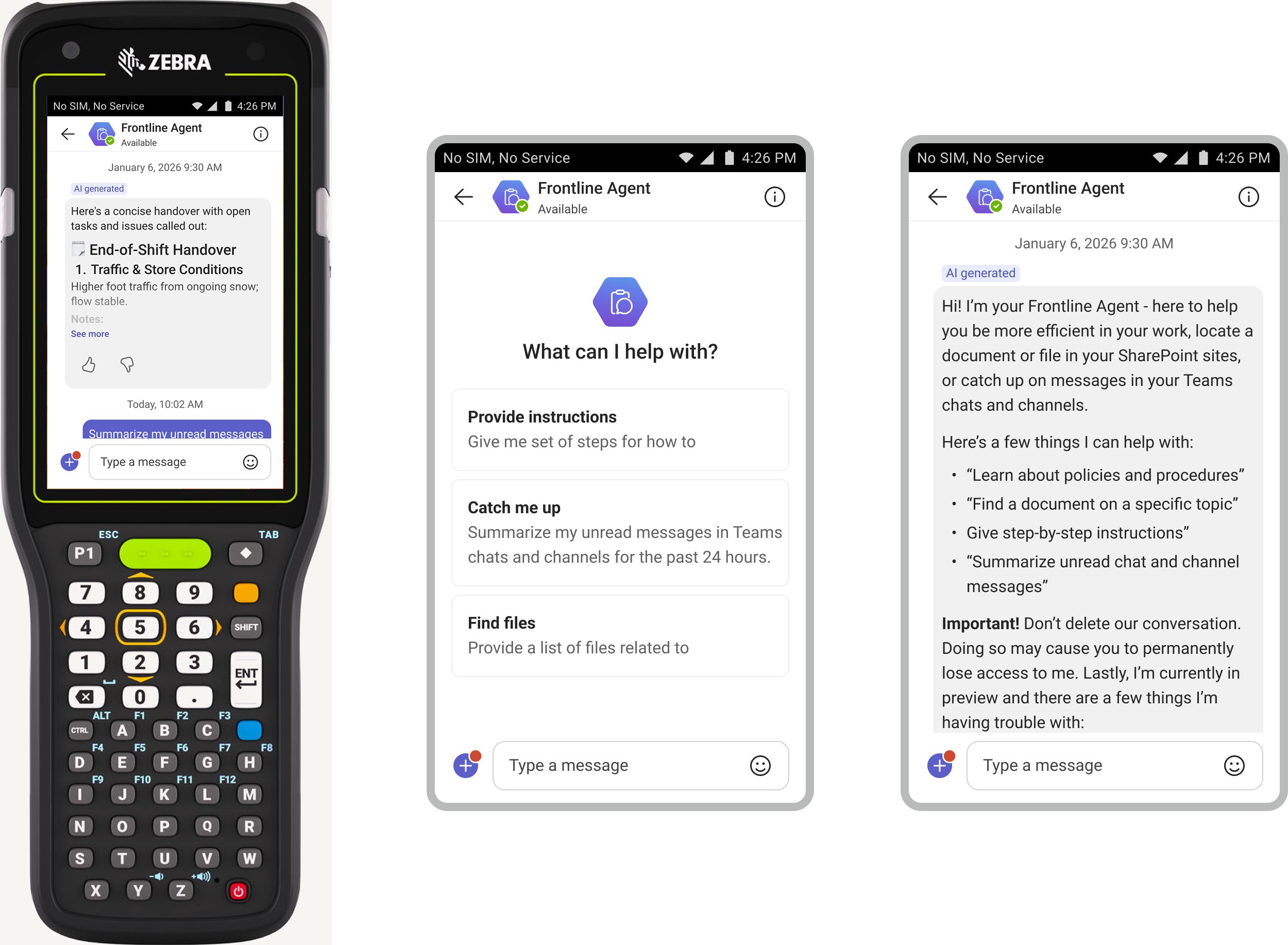
-
The noise. At one site, every customer help request and every message made a device ping out loud on the floor. All the time. After a while it hurt my head, and the people working there hear it for their whole shift.
While this area wasn’t in the scope of my work, the Follow-up agentic skills I was working on found a way to address this pain point. I also brought this observation back to the cross-functional team and the product leads as a huge pain point to solve through our notification targeting on the core experience. Eventually we got a designer to work on this problem. -
The rhythm. I learnt how much overhead frontline managers have daily, because they have to prepare for the shift before the actual shift starts for the team, they have to coordinate throughout the day and wrap up the shift.
We designed the skills around that rhythm: before, during and after a shift.
Skills we shipped
-
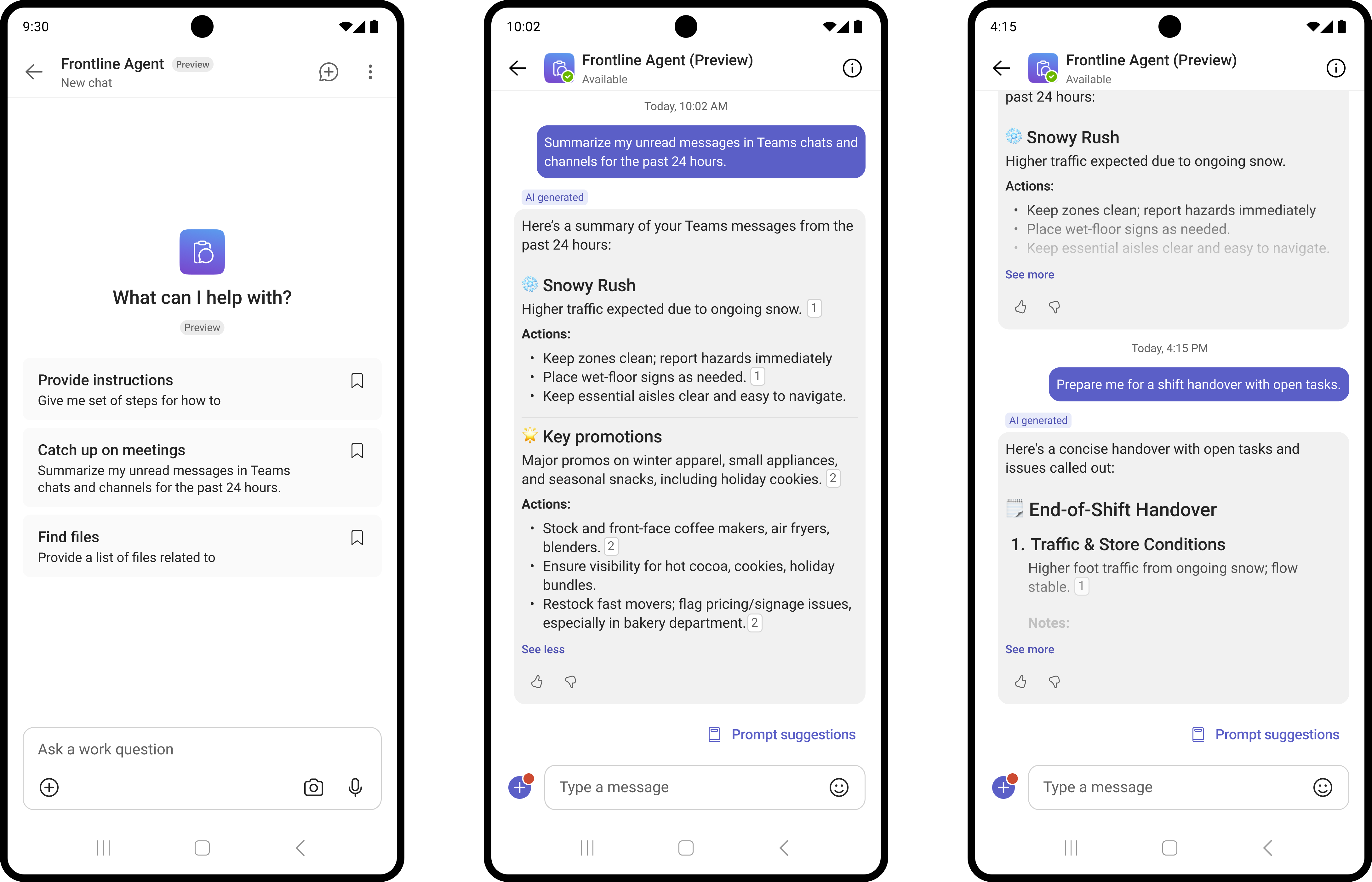
Catch up at the start of a shift.
What we learnt was that frontline workers start their shift and they need to catch up on status of the different tasks that were previously assigned to them or incomplete from the previous shift. The Catch up skill I designed helped them get to-the-point updates to hit the floor running. -
Follow-ups with the team. We noticed managers chasing workers on the floor, or using walkie-talkies for light-weight verbal requests. For this I designed the Follow-up skill targeting managers to send requests and delegate follow-through on the outcome to the agent.
The complexity of this skill demanded more thought and clarity around the different use cases and how we would design the agent to handle the different scenarios. I created a model of all combinations so we could work with engineers on building these.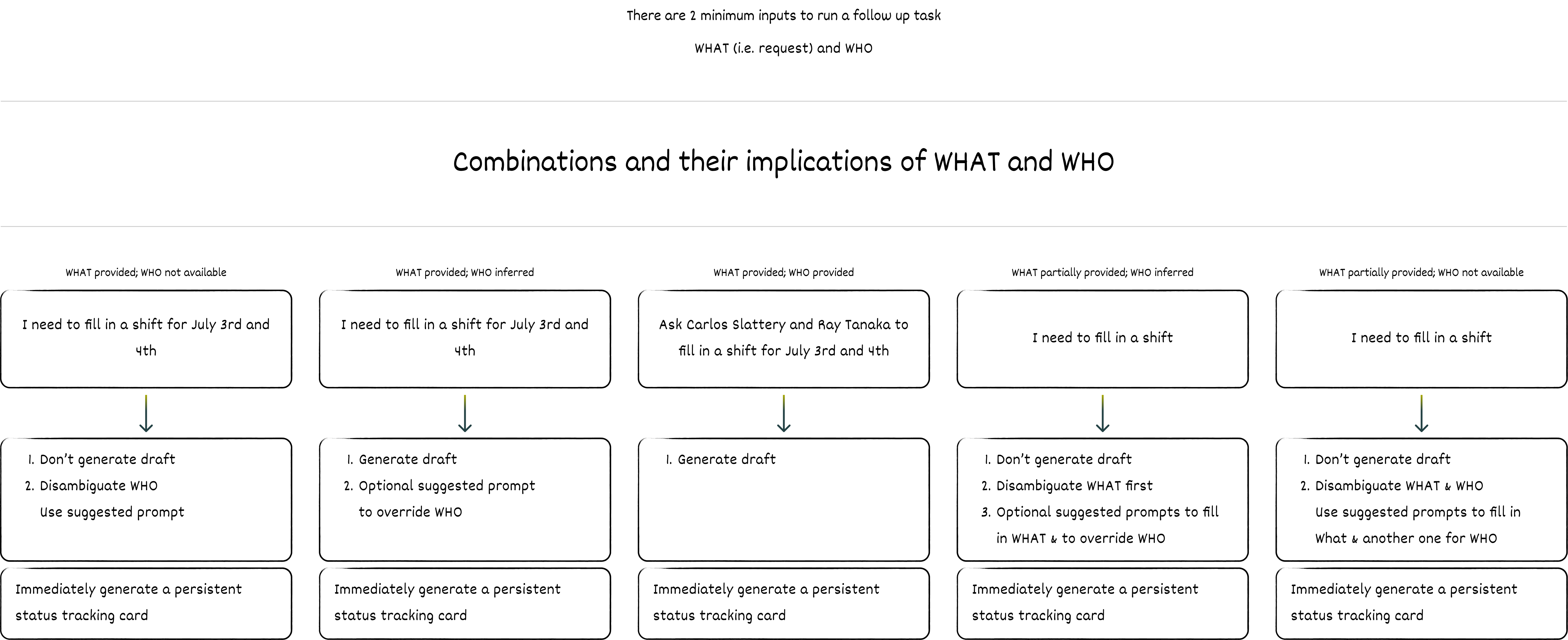
-
Walkthroughs and checklists by voice. One of the routine workflows, as we observed, was doing site walkthroughs to check if the floor was in order (think stores checking stocks, or nurses checking patient rooms, factory workers checking equipment, etc.) And these can take up to a couple of hours, filling out forms, noting issues and then reaching out with requests to fix the issues. Together with my engineers and PM, I designed the skill to reduce the time spent on site walkthroughs.
What I realized was that for the site walkthrough skill, the agent should not respond unless invoked, it should only listen.
So this introduced a transcription state in voice, instead of a regular voice modality.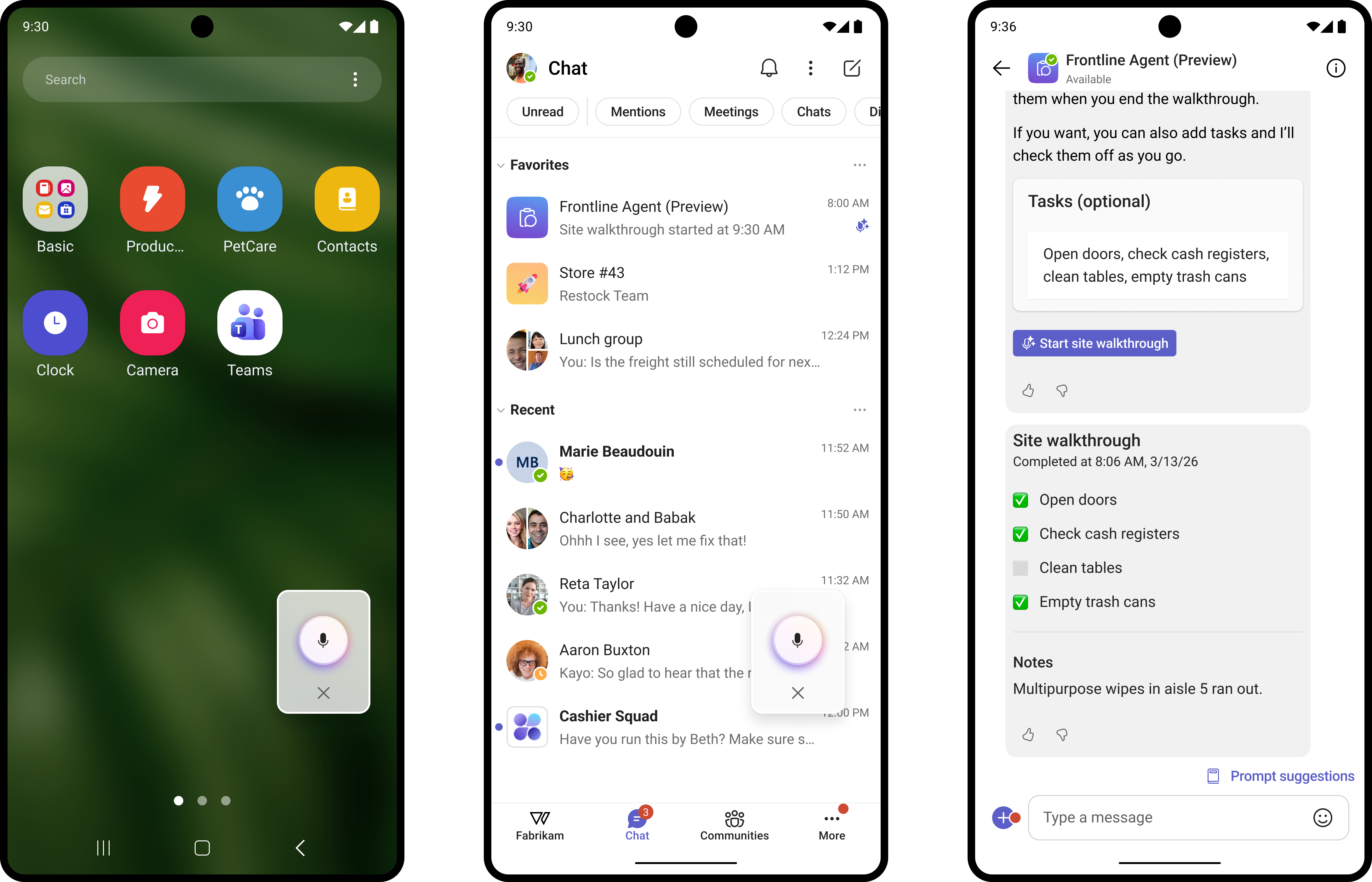
-
End-of-shift handovers.
For Catch up skill to help workers with the best possible information, I also designed the skill to help managers wrap up their shift. The agent would proactively collect status of all requests and tasks and help frontline managers coordinate and decide whether tasks should stay assigned to the workers in their shift or whether they should move on to the next shift and get reassigned. -
Quick answers from approved sources. Frontline workforce has a high turnover and people don’t stay at one job for a long time. This also means that knowledge is not preserved and often times it’s simply lost. Which makes it so much more important to collect, save the knowledge and help workers with How-to questions from the company’s own procedures. And so part of my design work also was targeted to designing the Q&A skills for the agent.
Proactively reaching outside my team
Some of the things the product needed didn’t belong to my team. When that happened, I found the people who owned it and made the case for us.
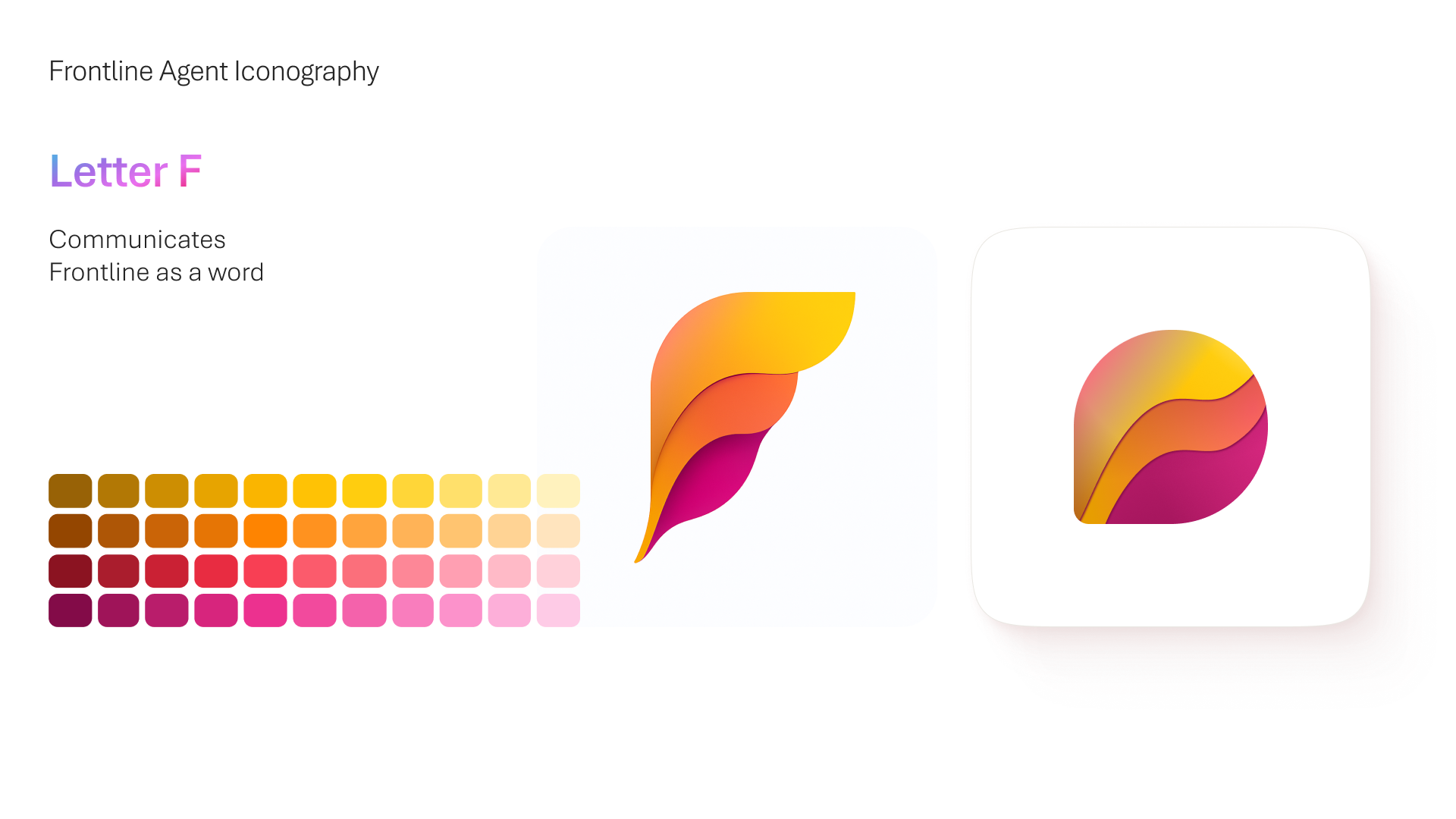
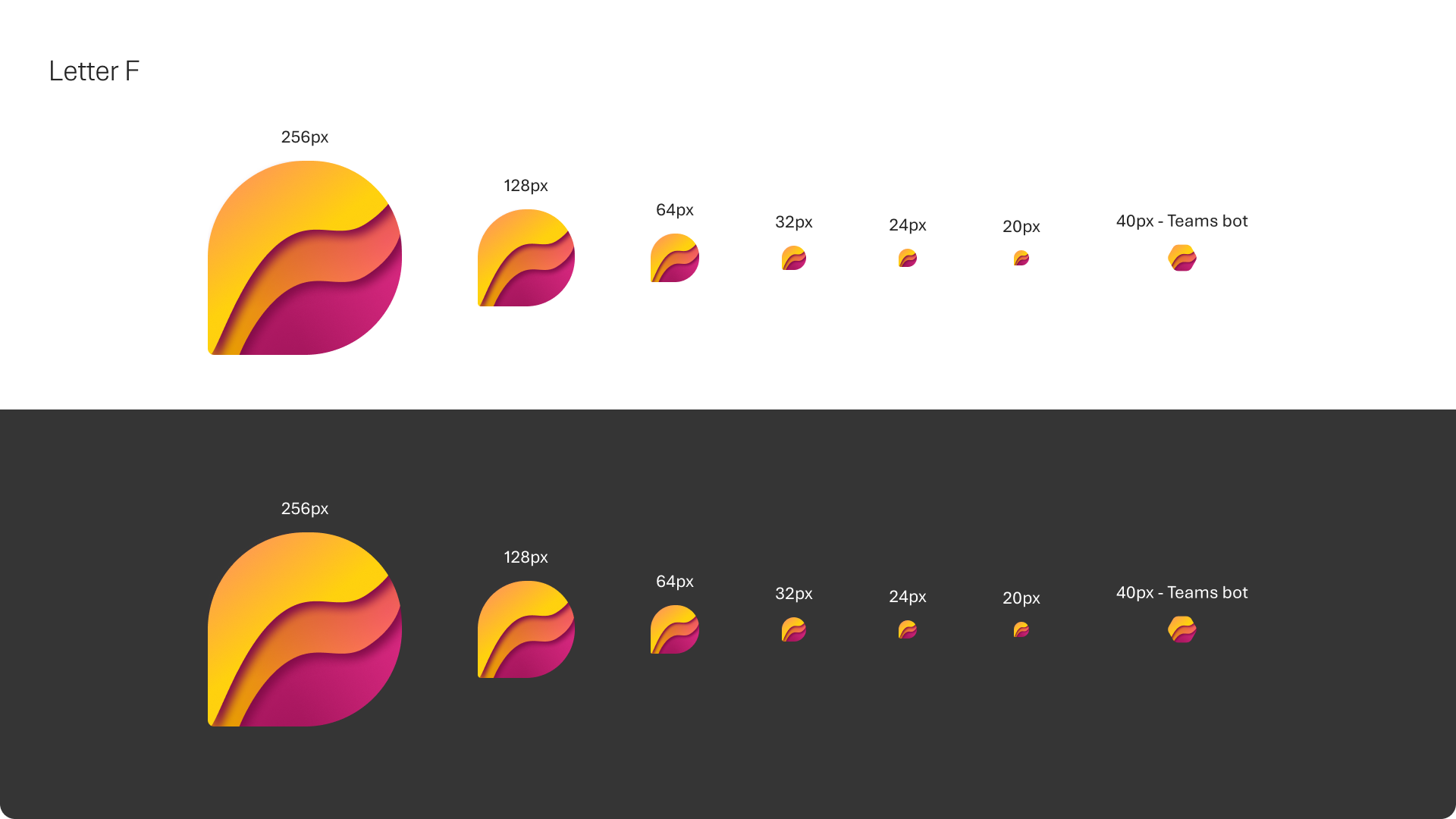
Frontline icon. Frontline Agent didn’t have its own icon. I did a few explorations, then learned there are specific guidelines for agent icons. So I found the team that owns them and got us a dedicated resource to design one just for us. Today Frontline Agent has its own icon in the system.
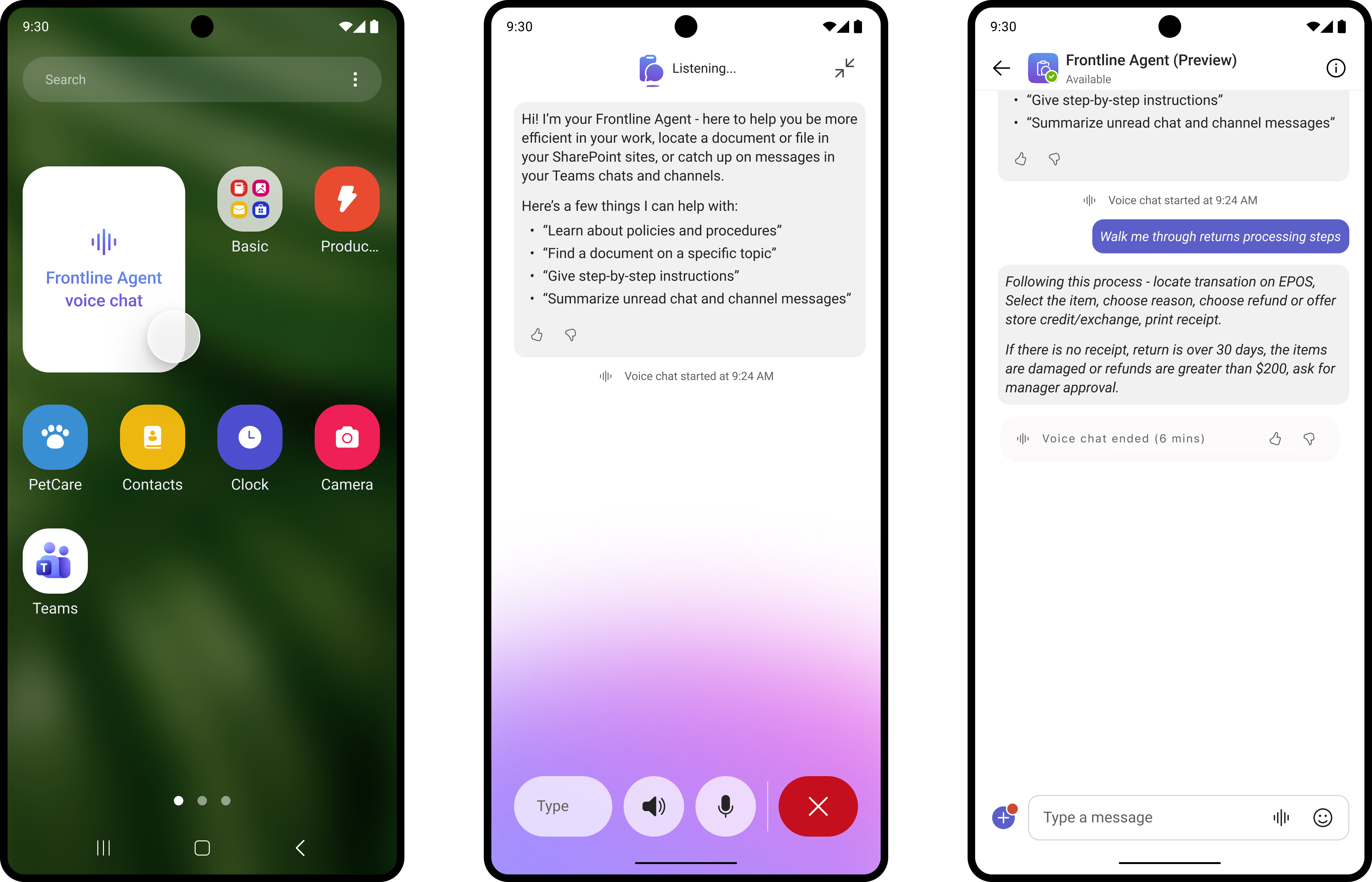
Showing up in voice. For the voice experience, I reached out to the voice team with my design proposal, and we worked together on how Frontline Agent should show up there.
Closer to home, I spent a lot of time with PMs brainstorming the skills and the direction, and with engineering to understand the opportunities and constraints early, so the design worked with them instead of against them.
Outcome
Frontline Agent shipped to public preview in Microsoft 365 Copilot and Teams.
Along the way: five skills shipped, Frontline Agent got its own icon in the system, and notification noise became its own design problem with a dedicated designer.
Video: Announcing Frontline Agent in Microsoft 365 Copilot
“While most of today’s AI solutions are designed for office workers and often fail to meet the needs of the field, this agent is specifically built for frontline workers.”
Hisashi Tamura, Group Manager at AX Promotion Group, Bic Camera
(source)
What I’d do differently
If I were designing Frontline Agent today with all the tools that are available now and the new knowledge that I have, I would:
Hone in on observability - Why the agent decided to prioritize action items in the Catch up output in a certain way, how did it decide to propose assigning an issue after site walkthrough to one person vs another, etc.
Manage latency - On the floor, every second of waiting matters. If I had the opportunity today I would explore some delighters at the minimum, or some useful tips for the workers while they were waiting to learn on a procedure when using the Q&A skill.
Evals on the length of output - Microsoft is built on trust, and these are not just words, this reflects on every product and design decision Microsoft is expected to make. For Frontline Agent it meant providing all of the disclaimer UI, including the text in output where the agent would acknowledge its limitations and level of confidence. Naturally, the length of the outputs was way longer than I would wish to see. If I had a chance today, I would push further to see how we could balance the Trust in the system and meeting the needs of Frontline workers.